How to Execute Limit Orders on Grvt

Limit orders are the default, foundational order type on Grvt's Central Limit Order Book (CLOB). This guide walks through placing one via the Grvt web/app interface, and via the Grvt Trading API for programmatic traders.
Option 1: Placing a Limit Order on the Web/App
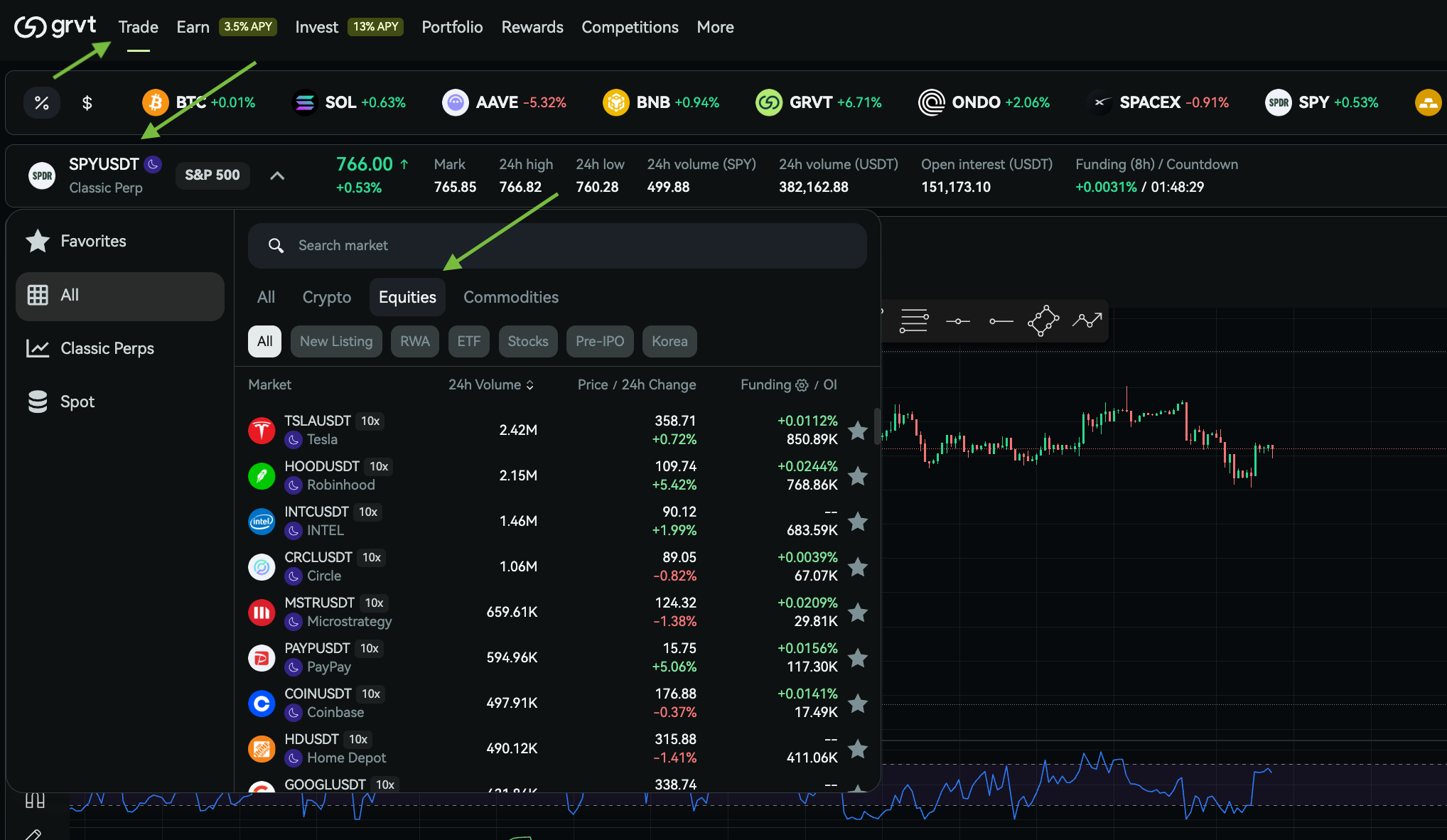
Step 1: Select your instrument Go to the trading page and pick the perpetual, future, or option contract you want to trade (e.g. SPYUSDT _Perp).
Step 2: Choose "Limit" as your order type In the order entry panel, select Limit from the order type dropdown (as opposed to Market, or advanced types like Scale).+Step 3: Set your price and size
- Limit Price: the price at or better than which you want to trade.
- Size: how much you want to buy or sell, in the base asset or notional, depending on your interface settings.

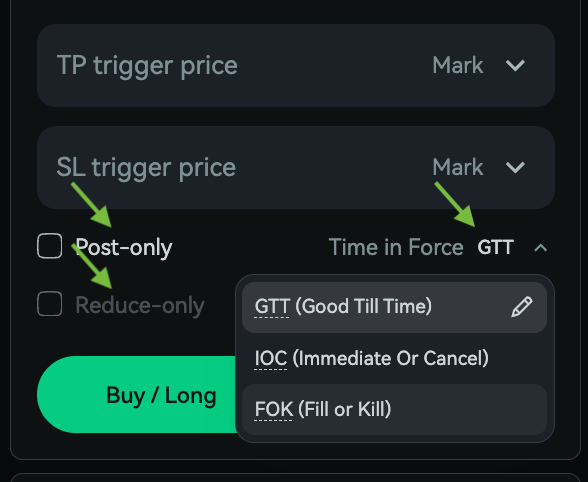
Step 4: Configure order behavior (optional but important)
- Time in Force: choose GTT (rests on the book), IOC (fills immediately or cancels), or FOK (fills completely and immediately, or cancels entirely).
- Post-Only: toggle this on if you want to guarantee your order only adds liquidity (maker). If your price would match immediately, the order is rejected rather than filled as a taker.
- Reduce-Only: toggle this on if the order should only be allowed to reduce an existing position, never open a new or opposite one.
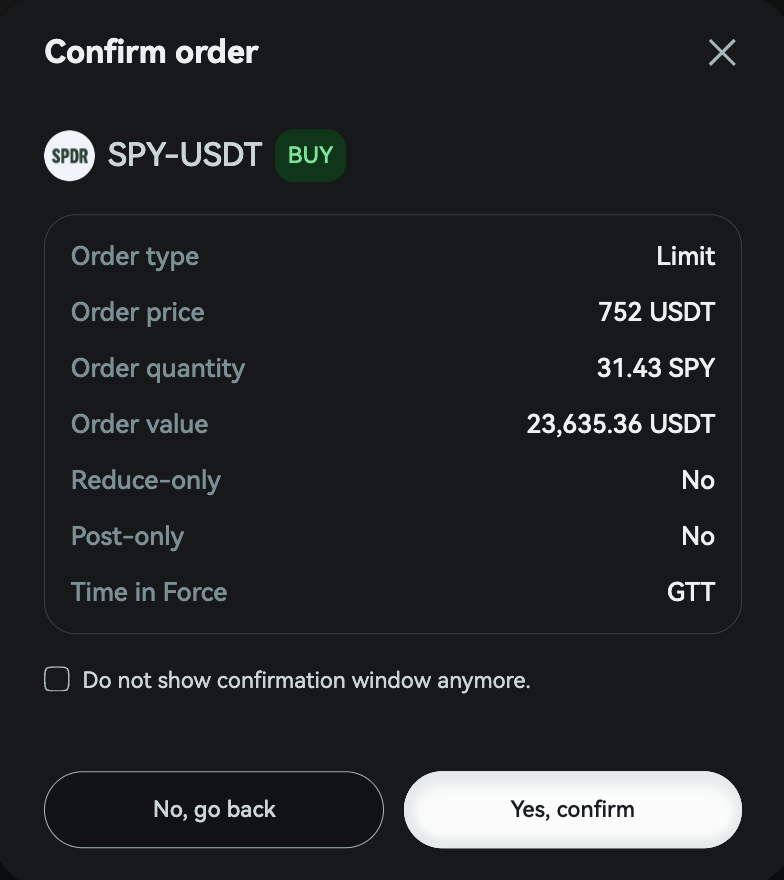
Step 5: Review and confirm If you have order confirmations enabled in your trading settings, a confirmation window will summarize price, size, and order flags before you submit. Click Buy or Sell to place the order.
Step 6: Monitor and manage
- Resting limit orders appear under Open Orders.
- You can cancel an unfilled or partially filled order at any time from this panel.
- Filled and cancelled orders move to Order History.‘

Because Grvt settles trades on-chain via a ZKsync validium while matching happens off-chain, placing and cancelling limit orders is gas-free and near-instant. You don't pay network fees for normal order activity.
Option 2: Placing a Limit Order via the Grvt API
For programmatic traders, Grvt's Trading API exposes a create_order endpoint. A limit order is simply an order where is_market is false and a limit_price is supplied.
Example request:
curl --location 'https://trades.grvt.io/full/v1/create_order' \
--header "Cookie: $GRVT_COOKIE" \
--header "X-Grvt-Account-Id: $GRVT_ACCOUNT_ID" \
--data '{
"order": {
"sub_account_id": "'$GRVT_SUB_ACCOUNT_ID'",
"is_market": false,
"time_in_force": "GOOD_TILL_TIME",
"post_only": false,
"reduce_only": false,
"legs": [{
"instrument": "BTC_USDT_Perp",
"size": "10.5",
"limit_price": "65038.01",
"is_buying_asset": true
}],
"signature": {
"signer": "0x...",
"r": "0x...",
"s": "0x...",
"v": 28,
"expiration": "1697788800000000000",
"nonce": 1234567890
}
}
}'
Key fields to get right:
Because all orders are signed and trustlessly enforced on Grvt's Hyperchain, the API requires the same signature payload structure as the underlying smart-contract order object. This is different from most centralized exchanges, so make sure your integration handles signing correctly (Grvt's SDKs and the Grvt connector in CCXT handle this for you if you don't want to implement signing yourself).
Common rejection reasons to watch for:
Tips
- If you want your order to always earn maker fees (or a rebate), use Post-Only.
- If you're closing part of a position and don't want to risk accidentally flipping it, use Reduce-Only.
- Check time_in_force support per venue. Grvt's main exchange order book only supports GTT, IOC, and FOK; AON is reserved for RFQ flows.
- For high order-throughput strategies, be aware of Grvt's tiered rate limits on order creation, cancellation, and status queries.